Wi-Fi Settings
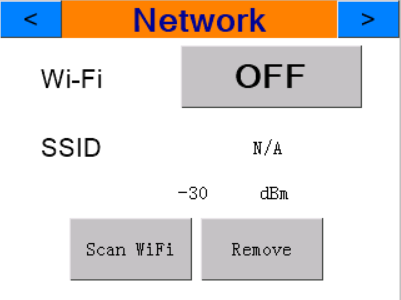
The Network settings page has the following key functions:
-
Wi-Fi ON/OFF — Toggle Wi-Fi on or off using the ON/OFF button.
-
SSID — The name of the Wi-Fi network the device is currently connected to.
- Signal strength is displayed in dBm.
-30 dBm is a stronger signal than -70 dBm.
-
Scan Wi-Fi — Used to find and connect to Wi-Fi networks.
- Press Scan Wi-Fi to see all available Wi-Fi networks. Wait a moment for the device to scan.
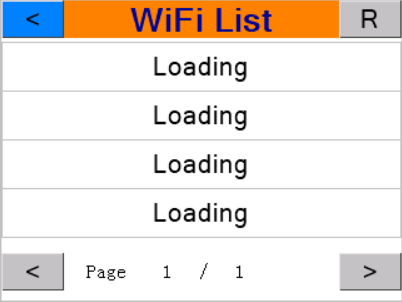
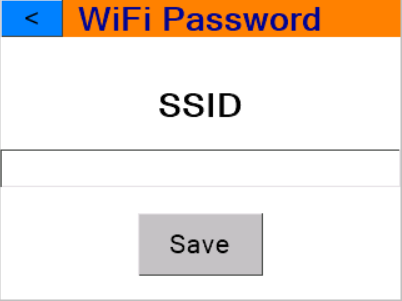
- Select the desired Wi-Fi SSID. The Wi-Fi password page will appear — enter the correct password and press Save.
-
Remove — Deletes the saved SSID and password to disconnect, or when the Wi-Fi SSID has changed its password.